Update
As of RootsMagic 8 Preview 7.9.180, the traceability of where an image is used has changed little from what was described below for RM4. The need for an outboard query such as this is as high in early 2021 as it was in 2010. With some changes in tables from RM7, the Media-UsersList4.sql query does not run on RM8. Pat Jones revised it and applied a technique she describes at Common Table Expressions – The Building Blocks of SQL to streamline it:
For a version that works with databases from RM5 to RM7:
Media-UsersList4-RM7.sql
Introduction
RootsMagic 4 falls short in handling media in several ways. One serious one is its inability to report fully all the ‘owners’ of the media, i.e., its terminology to describe what person, couple, event, source, citation, place or place detail to which a media item is attached, in sufficient detail that the attachment can be found. Trace-ability is essential to be able to make changes to an attachment’s properties, i.e., its caption, description, reference number, date, sort date, primary and scrapbook inclusion flags. RM4’s Report > Lists > Multimedia List does not even report usage by Sources or Source Details and fails to report the Place to which a Place Detail, having media attached, belongs. Similarly, the Media Gallery > Tools > “Show where this media is used” results are incomplete for media attached to Source Details or to Place Details, giving little or no clue to how you would navigate to the citation or Place where you could then drill down to the Media and edit the caption or other properties.
Here’s an example of what I mean:
Owner according to Media Gallery > Tools > “Show where this media is used”
Cens: 1891 Can: Ancestry.ca - FF2 (ff incomplete) (citation)
How can one possibly find the citation without at least the RIN or name of the person?
Users according to Media-UsersList query
(citation) WICKENS, Martha Jane "Jenny"-208 : RESIDENCE (FAMILY) ca 1891 : HOLDEN, Matthew Edwin-149 citing Cens: 1891 Can: Ancestry.ca - FF2 (ff incomplete)
(citation) HOLDEN, Matthew Edwin-149 : RESIDENCE (FAMILY) ca 1891 : WICKENS, Martha Jane "Jenny"-208 citing Cens: 1891 Can: Ancestry.ca - FF2 (ff incomplete)
Both RM4 and the query show that the media file is attached to a citation but the new query provides explicit guidance to the citation via not only the name and RIN of the person but also the fact name and date so that the citing fact can be quickly found and its Citation Manager opened. The source name is shown (that’s all the Media Gallery shows apart from the caption and full filename) so it can be readily selected from the Citation Manager and the Source Detail Media Album opened therefrom and the media item selected by file name for the editing of its properties. That is the only way RM4 lets you get to the item’s properties; obviously, a road map is necessary. This query shows the route.
Download
Media-UsersList.sql – original query, easier to modify, fast on smaller databases, bogs down on large ones
Media-UsersList3.sql  – fast even on very large databases, larger sql file, harder to modify at the base SELECTs.
Media-UsersList4.sql – as ver 3 but revised for RM5 and 6; prior versions work with RM4.
Screenshots
With Thumbnail Images
Using SQLite Expert Personal, make sure the following setting is checked for the thumbnail image to be shown:
Tools > Options > Data:
- Results-Display results in grid
- Grids-Show images
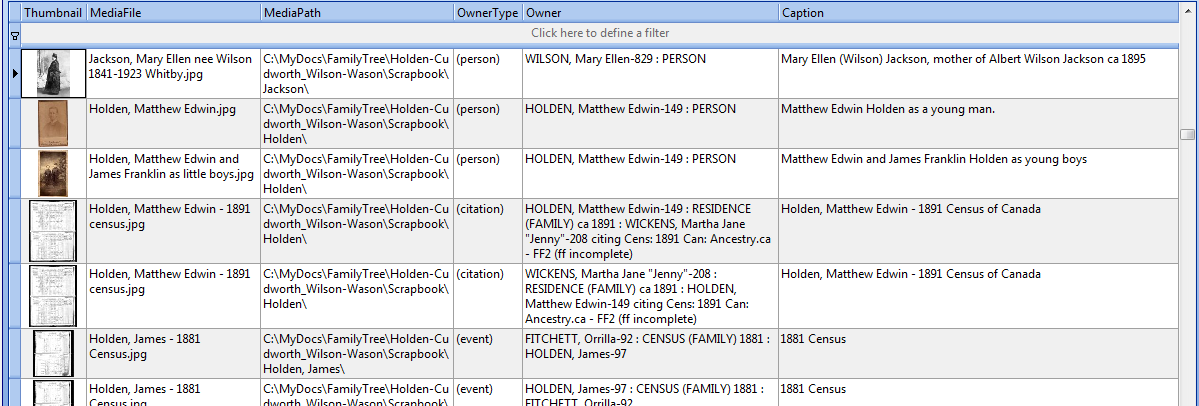 |
| SQLite Expert Personal can display the thumbnail images stored in the database. A subset of the available columns is displayed to reduce clutter. Unfortunately, column widths are not remembered on re-executing the same query. Also, sorting on column heading does not work unless the ORDER BY clause at the very end of the query is deleted. |
Without Thumbnail Images
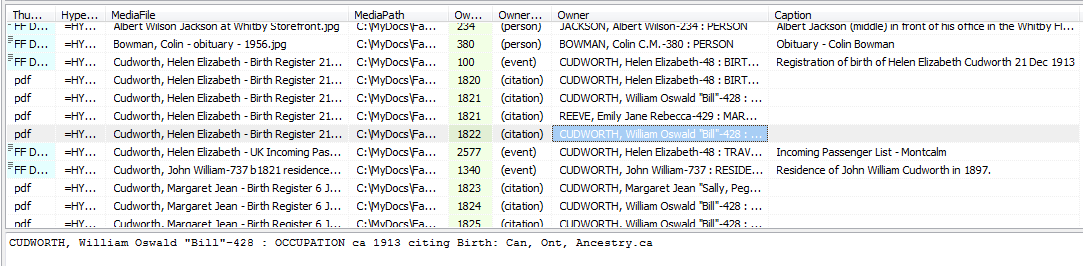 |
| Screenshot from SQLiteSpy which has no image display capability but does remember column widths within the same session and supports sorting on column regardless of an ORDER BY in the query. |
thejerrybryan
11 September 2017 16:37:37
Aha (I think)!
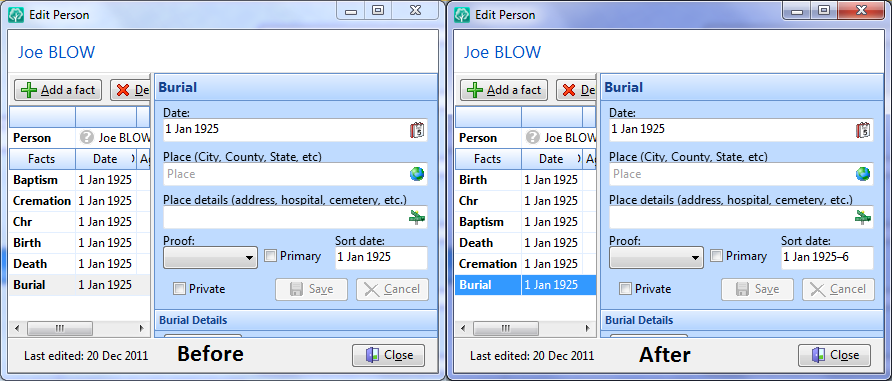
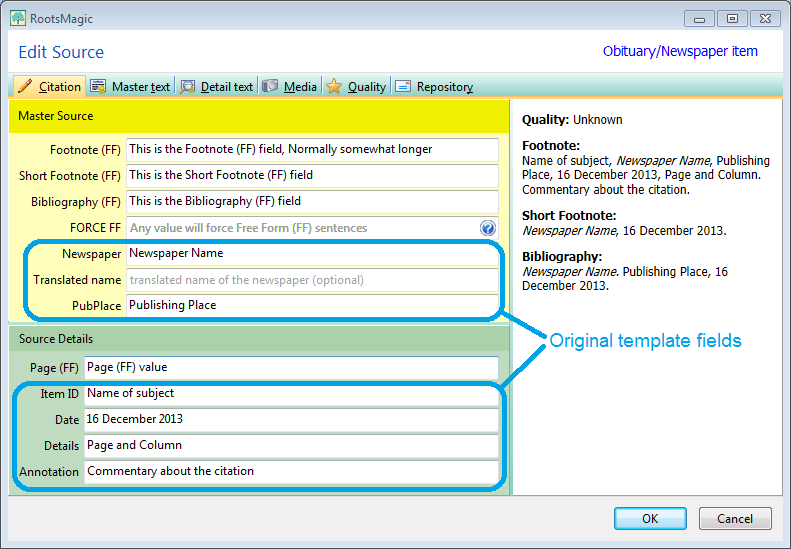
I commented out the following code, and it seems to have solved my problem. I was trying to make changes within the commented out code, and I just needed to get rid of the commented out code entirely.
/* AND
SortDate = — equals encoded event Date (if not a match, suggests that user has modified SortDate so don’t touch it)
(CASE
WHEN DATE LIKE ‘.%’
THEN 1
ELSE Substr(DATE,3,5) END
+10000
)*562949953421312
+ Substr(DATE,8,2)*35184372088832
+ Substr(DATE,10,2)*549755813888
+ 17178820620 */
I would be interested in opinions concerning the following observation. It seems to me that commenting out the code in question might be a good idea for the general use case, not just for my specific use case. Which is to say that even with this code removed from the script, the script still does not modify sort dates that are different. For example, if the RM user has established a birth sort date of 1 Jul 1850-1 and a death sort date of 1 Jul 1850-2, then the script will not modify the sort dates even with the code commented out as indicated. The sort dates are not identical and are therefore are prevented from matching by INNER JOIN’s. They don’t need to be prevented from matching by the code that has been commented out. At least that’s the way it seems to me, and that’s what I’m going to go with for now.